Fresh Coat, Zero Budget: Rebuilding Your Business's Entire Digital Front Porch for Free
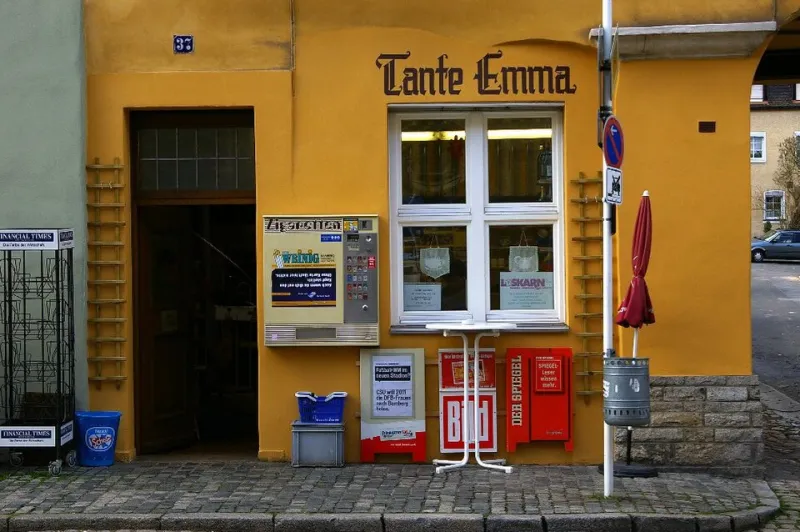
Photo: Reinhard Kirchner, CC BY-SA 3.0, via Wikimedia Commons
Walk into any coffee shop from Portland, Maine to Portland, Oregon and you'll find a small business owner who's embarrassed by their website. The logo was made in 2014. The homepage still says "Call us for hours!" The last blog post is about a holiday sale from three years ago.
The usual advice is "just hire someone." But quotes for a small business rebrand routinely land between $5,000 and $15,000, and most local shops don't have that kind of margin lying around. The good news: in 2025, almost every piece of a digital refresh has a legitimately useful free tier. You can rebuild your entire online presence for $0 — as long as you know where the free versions shine and where they'll quietly sabotage you.
Here's the full playbook, with a running cost tally.
Start With the Logo, Because Everything Else Depends on It
Your logo shows up on your website, your social profiles, your email signature, your invoices. It's the anchor asset, so make it first.
Free options worth your time:
- Canva's free tier — solid for simple, text-forward marks. Skip the paid elements and you'll still get something clean.
- Looka and similar AI logo generators — free to design, paid to download high-res files. Here's the workaround: generate concepts for free, then recreate your favorite one in Canva yourself.
- Google Fonts — pick one distinctive typeface and use it everywhere. Consistency reads as "professionally branded" more than any graphic does.
Running total: $0
One warning: avoid anything that hands you a raster-only file. You'll need a transparent PNG at minimum, and ideally something scalable.
The Website: Free Tiers Have Grown Up
This is where free tools have improved the most. Website builders that used to be clunky demos now produce genuinely modern sites.
Your realistic free stack:
- Carrd — one-page sites, $0 for three sites on a .carrd.co domain. Genuinely fast, genuinely good-looking.
- Framer or Wix free plans — full multi-page sites, published on a subdomain.
- Google Sites — bare-bones but bulletproof, and it plays nicely with other Google tools you probably already use.
The catch with every free website plan is the domain. "yourbusiness.framer.website" works for a week, but it undermines trust the moment a customer sees it. That brings us to the first (and arguably only) must-buy.
Running total: $0 (about $12/year pending — see below)
The One Purchase That's Actually Worth It: Your Domain
Everything else on this list can stay free forever. Your domain cannot. Roughly $10–15 a year gets you a real .com from Cloudflare, Porkbun, or Namecheap, and it changes how every other free tool is perceived. A Carrd site on your own domain looks intentional. The same site on a subdomain looks temporary.
This is the pattern you'll see across the whole rebrand: free tools handle 95% of the work, and small strategic purchases cover the last 5% — the parts customers actually notice.
Running total: ~$12/year
Social Presence: Consistency Beats Content Volume
You don't need to be on six platforms. You need to be findable and consistent on two or three where your customers actually are.
- Claim your handles everywhere, even platforms you won't use. It's free and it prevents squatters.
- Canva free covers post graphics; its brand kit feature (colors, fonts) is limited on the free plan, but you can manually reuse your hex codes.
- Meta Business Suite and YouTube Studio both schedule posts natively for free — no paid scheduler needed at small scale.
- A free AI writing assistant can turn one long post into three short ones, which is how solo owners stay consistent without burning weekends.
Running total: $0
Professional Email Without the Monthly Fee
Nothing screams "not established" like an @gmail.com address on a business card. But paid email hosting runs $6+ per user per month, which adds up.
Free routes to a professional address:
- Zoho Mail's free plan — custom-domain email for up to five users, free forever. This is the standout deal in the space.
- Cloudflare Email Routing — forwards [email protected] to your existing inbox for free. You can send from it via your Gmail settings.
Running total: still ~$12/year
Where Free Quietly Wins vs. Where It Bites You
After walking through this with a few small businesses, here's the honest breakdown:
Free tiers win outright:
- Logo concepting and social graphics (Canva)
- Website hosting at low traffic (Carrd, Framer)
- Email forwarding and basic hosting (Zoho, Cloudflare)
- Scheduling and analytics (native platform tools)
Free tiers will hurt you:
- Ecommerce. Free storefront plans take painful transaction fees or lock checkout. If you sell online, this is worth paying for.
- Custom domain email at scale. Zoho's free plan is great until you need more users or deliverability guarantees.
- Stock photography. Free stock looks free. Budget $20–30 for a handful of real photos of your actual business instead — a phone and good daylight beat any stock library.
The Realistic Bottom Line
Add it up and a complete digital refresh — new logo, new site, professional email, refreshed social presence — costs about $12–15 for the entire first year. Compare that to the $5,000 agency quote, and the math isn't close.
The tradeoff is your time. Expect to spend 15–20 hours across a couple of weekends. But here's the thing most business owners discover: doing it yourself means you actually know how to update it later, which is worth more than any design deliverable.
Spend the $12 on the domain. Spend the weekend on everything else. Your digital front porch will look better than it has in a decade — and your bank account won't notice.